How to secure your home network

You lock your doors at night and keep an eye out for suspicious activity around your home, but what about your Wi-Fi? A secure home network is just as essential as locking the front door. With so many devices connected to your network—smart TVs, phones, tablets, gaming consoles, and even home appliances—it’s more important than ever to ensure your Wi-Fi isn’t an easy target for cybercriminals.

Unsecured networks leave the door wide open for hackers to steal personal information, access devices, or install malware. But the good news is that with a few simple steps, you can strengthen your home network and protect your privacy.

Ensure your devices are updated

First, ensure all internet-enabled devices run the latest operating system, web browsers, and security software. This includes mobile devices that access your wireless network. Hackers are always looking for new ways to steal data, and keeping your software updated is an easy way to step ahead. If you don’t already, install software updates as soon as they’re available.

Secure your wireless router

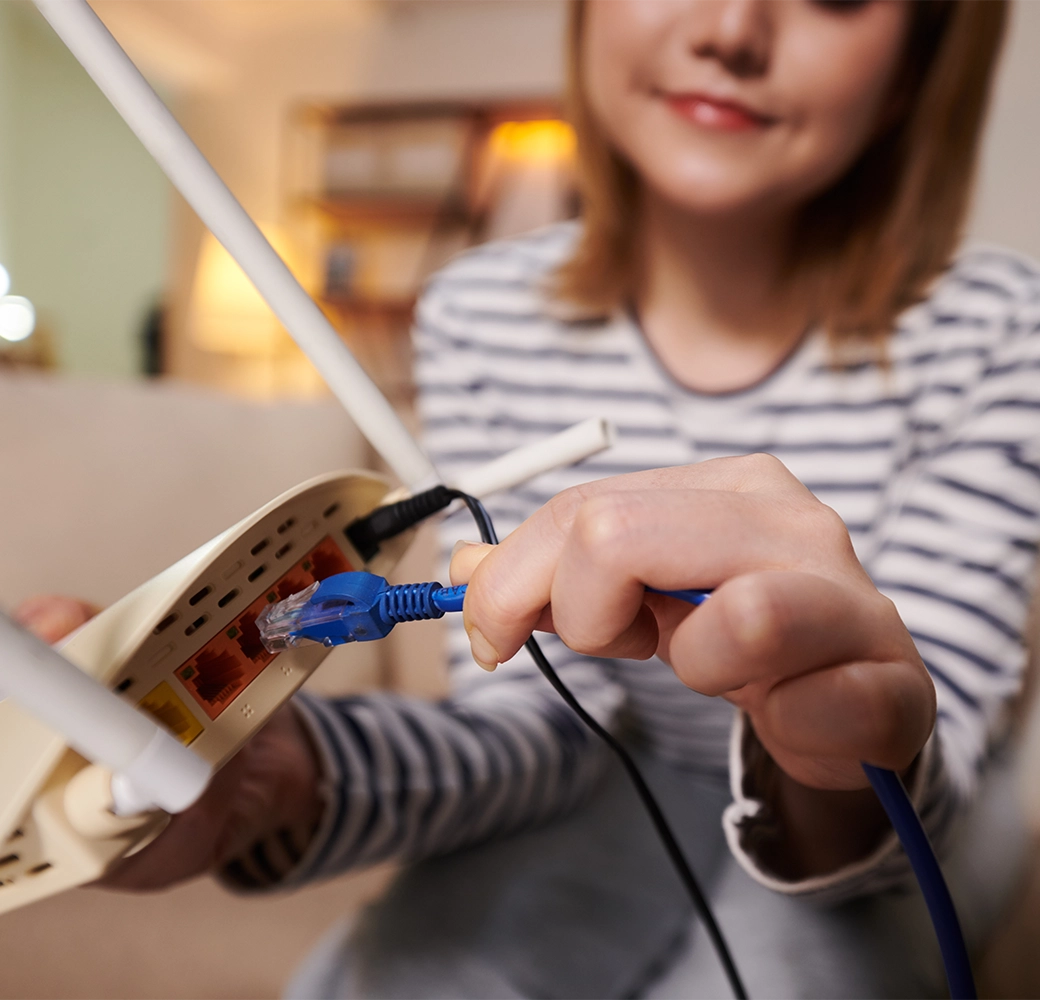
A wireless network is when you connect an internet access point—such as a cable or DSL modem—to a wireless router. Wireless is now essential in many homes because it allows you to connect multiple devices to the internet from different areas of your home. However, if you don’t secure your router, you’re vulnerable to people accessing the information on your computer, freeloading off your internet service, and (potentially) using your network to commit cybercrimes.

How to secure your wireless router:

Change the name of your router

The default ID—called a “service set identifier” (SSID) or “extended service set identifier” (ESSID)—is assigned by the manufacturer. Change your router to a name that is unique to you and won’t be guessed by others.

Change the preset passphrase on your router

Keeping the router’s manufacturer default passphrase in place makes it much easier for hackers to access your network. Change your router’s passphrase right away. A strong passphrase uses at least 12 characters and includes letters, numbers, and symbols. The strongest passphrases are not recognizable words.

Review security options

When choosing your router’s level of security, opt for WPA2, if available, or WPA—these levels are more secure than the WEP option.

Turn off remote management

Disable this feature unless you absolutely need it. It prevents others from accessing your router’s settings remotely.

Create a guest passphrase

Some routers allow guests to use networks via separate guest passphrases. If you have many visitors to your home, it’s a good idea to set up a second network just for guests. A second network allows visitors to connect to your Wi-Fi without being able to access devices connected to your main network.

Use a firewall

Think of a firewall as a security checkpoint—it filters traffic, allowing only trusted sources to communicate with your devices. Most modern operating systems include built-in firewalls, and many routers come with firewall settings as well. Make sure your firewall is turned on, both at the device and network levels, and consider enabling intrusion detection features if your router supports them.

Protect your account with these tips:

Even with a secure network, it’s still critical to ensure your account itself is protected. Strengthen your login security with these tips:

Enable multi-factor authentication (MFA)

Whenever offered, use two-factor authentication or MFA like biometrics, security keys, or a unique, one-time code through an app on your mobile device.

Use long, unique passphrases

Your password should be at least 12 characters long with a combination of letters, numbers, and symbols. It should also be unique—avoid reusing the same passphrases you use for other accounts, like online banking or social media.

Bottom line

Your home network is the foundation of your digital life. Just as you wouldn’t leave your front door open, don’t leave your home network exposed. Taking the time to secure your Wi-Fi and connected devices can prevent data theft, financial loss, and unwanted access. A safer internet starts at home—and it starts with you.
The importance of fraud procedures

Get prepared for the upcoming Nacha Rules Changes and Business Email Compromise

Fraud prevention has never been more critical, and Nacha’s upcoming amendments to its risk management rules highlight the importance of proactive measures.

Business email compromise (BEC) is one of the fastest-growing cyber threats, targeting organizations of all sizes. This sophisticated type of fraud involves cybercriminals gaining access to or impersonating legitimate business email accounts to manipulate employees, customers, or vendors into transferring funds or sensitive information.

BEC attacks typically rely on social engineering methods. Scammers study an organization’s communication patterns and impersonate trusted individuals, such as executives, vendors, or partners, to send fraudulent requests.

Common fraud tactics

  • Invoice fraud: Impersonating a vendor to request payment to a fraudulent account.
  • CEO fraud: Pretending to be a company executive and requesting urgent wire transfers.
  • Payroll diversion: Tricking HR or payroll staff into redirecting direct deposit payments to a scammer’s account.

These attacks are often carefully crafted to appear legitimate, making them difficult to detect without proper safeguards in place.

Steps to protect your business

Preventing BEC begins with awareness and proactive measures. Here are four key steps to safeguard your organization:

  1. Train staff to recognize phishing emails, suspicious requests, and urgent demands for financial transactions.
  2. Implement strict protocols for verifying payment requests, especially those involving changes to account details or large sums of money.
  3. Utilize email filtering and monitoring tools to identify unusual activity or messages.
  4. Encourage employees to report suspicious emails or transactions immediately, and have a clear incident response plan.

Take action today

By prioritizing fraud prevention, ACH Network participants can protect their customers, reduce unauthorized transactions, and contribute to a more secure payments ecosystem.


Why business owners must take user access seriously

Assigning the ability to transmit funds is not a decision that should be taken lightly. Business owners must recognize that granting this level of access effectively gives the user control over the company’s financial resources. Without proper oversight and safeguards in place, this access can be exploited—either intentionally or unintentionally—to the detriment of the business.

The difference between a signer and an authorized user

The key difference between a signer and an authorized user in cash management lies in the level of authority and responsibility:

Role Authority
Signer on Account A signer has legal authority over the account. They can make critical decisions such as adding or removing users, changing account details, or closing the account. Signers are legally responsible for the account’s activities and bear ultimate responsibility for its management.
Authorized User An authorized user is granted access to perform specific tasks within the cash management system, such as initiating transactions (e.g., ACH, wire transfers, and bill payments) or viewing account information.

Business owners often confuse these two roles and may not fully understand the authority and risks involved in granting user access, including the extent of actions a user is authorized to perform.

Key risk considerations for business owners

  • The potential for withdrawing unauthorized funds: If an authorized user can send funds without oversight, they could empty the account in a matter of minutes. This could be due to fraud, mismanagement, or other errors, like sending funds to the wrong recipient.
  • Accountability and oversight: Owners should be actively involved in approving user access and establishing internal controls, including setting clear limitations on what authorized users can do and regularly monitoring their activity.
  • The cost of negligence: Beyond financial losses, mismanagement of user access can lead to reputational damage, loss of trust with vendors or clients, and potential legal consequences if funds are misappropriated.

Protecting your account

You can implement a variety of controls to help prevent unauthorized access to your accounts.

  • Define roles and permissions: Before granting access, clearly define each user’s tasks and assign only the necessary permissions. Limit access to sensitive functions, like fund transfers, unless absolutely required.
  • Implement dual control and approval workflows: For high-risk transactions, such as wire transfers or ACH payments, require dual control, where one user initiates the transaction, and another approves it. This ensures no single user has unchecked authority over company funds. Prohibit users from sharing dual control access (e.g., one employee provides their account login to another employee).
  • Regularly review user access: Periodically review all authorized users and their permissions. Remove access for users who no longer require it or whose roles have changed.
  • Provide training: Ensure that authorized users understand their roles, the extent of their permissions, and the importance of maintaining security and compliance.
  • Perform daily reconciliation: Access your online banking system and review account activity, flag suspicious behavior, and report to us immediately.
  • Establish strong internal controls: Develop policies and procedures for granting, monitoring, and revoking user access. Ensure these controls are consistently followed and updated as needed.

Granting authorized user access to cash management systems is essential but risky. Without proper controls, it can lead to financial losses, data breaches, or compliance issues. Clear controls, limited permissions, and regular reviews are key to safeguarding resources and ensuring security.


6 steps to protect your business’s financial data

As a business, you must protect your consumers’ financial data. If your company’s sensitive, financial information is hacked, you could suffer from financial loss and brand mistrust or damage—and possibly lose customers. Ensuring the safety of your customers’ financial information can be daunting, especially if you’re unsure where to start. Below are six steps you need to take to protect your business’s financial data:

1. Identify critical assets and systems

The first step in protecting your business from cyber threats and securing financial data is to identify the “crown jewels” of your business—the assets and systems critical to your business. This data is considered a high-value target for cybercriminals or without which your business would have difficulty operating.

To start, create a detailed inventory of data and physical assets, and update it routinely. Record the manufacturer, make, model, serial number, and support information for hardware and software. For software, know the specific version that is installed and running. You should also know where data and technology are stored and who can access both.

2. Protect your data and devices

Once you’ve identified your data and devices, how do you protect them? Ultimately, your goal is to build a culture of cybersecurity that includes employees knowing how to protect themselves and the business. You should also understand the cyber risks as your business grows or adds new technologies or functions.

3. Keep your software up to date

Installing the latest security software, web browser, and operating system is the best defense against viruses, malware, and other online threats. Regularly updating your software will ensure your company is not at risk of being exposed to security flaws.

Many software programs will automatically connect and update to defend against known risks—turn on automatic updates if that’s an available option. Automatic software updates allow you to get the latest security fixes as quickly as possible without doing anything.

4. Use strong authentication procedures

Use a robust authentication process, like two-factor or multi-factor authentication, to protect access to accounts and ensure only those with permission can access them. Multi-factor authentication (MFA) adds layers of security, typically by sending a one-time password generated in real-time, making it harder for hackers to crack. MFA can reduce security breaches by up to 99%—allowing you to protect your business’s sensitive information.

This also includes enforcing secure passphrases. A strong password is at least 12 characters long and combines letters, numbers, and symbols. Do not use sequential letters or numbers, like “qwerty” or “1234.” It’s also recommended to use separate passwords for different accounts. Using the same password for every account could be detrimental in a security breach. If you use the same password for your social media account and (for example) your POS system, your customers’ financial information could potentially be stolen if your social media accounts were hacked.

5. Back up data

Back up your data by implementing a system—either in the cloud or via separate hard drive storage—that regularly makes electronic copies of essential information. If you have a copy of your data and your device falls victim to cyber threats, you can restore data from a backup.

Use the 3-2-1 rule as a guide to backing up your data. The rule is to keep at least three (3) copies of your data and store two (2) backup copies on different storage media, with one (1) of them located offsite. Limit access to data or systems only to the employees who require it to perform the core duties of their jobs.

6. Keep a clean and secure device

Your company should have clear rules for what employees can install and keep on their work computers. Employees installing unapproved software poses a major threat and could compromise sensitive data.

Employees should also know not to open suspicious links in emails, tweets, posts, online ads, messages, or attachments—even if they know the source. Employees should also be instructed about your company’s spam filters and how to use them to prevent unwanted, harmful emails. Encourage employees to keep an eye out and say something if they notice anything strange on their computers.

Protecting your customers’ sensitive financial data is one of the most critical aspects of owning a business. Over the next few months, we’ll share greater insight and tips on other ways to safeguard your business and protect your customers’ financial information.

How to use passwords to protect your finances

Passwords and strong authentication are like keys to your home but online. Do everything possible to prevent people from gaining access to your password. Strong passwords can be inconvenient, but they’re critical if you want to keep your personal and financial information safe. Below are some simple tips to secure your accounts through better password practices.

Ensure passwords are long, unique, and complex

Whether it’s your online banking or social media account, all passwords should be created with these three words in mind:

  • Long – Your password should be at least 12 characters long.
  • Unique – It’s easier said than done, but avoid reusing passwords. Each of your accounts needs a unique passphrase.
  • Complex – Combine upper- and lowercase letters, numbers, and special characters. Some websites will even let you include spaces.

Focus on positive sentences or phrases that you will remember but also use a combination of letters, numbers, and symbols. Do not use sequential letters or numbers, like “qwerty” or “1234.”

Contrary to popular belief, you do not need to constantly change your passwords. The National Institute of Standards and Technology recommends against frequent password changes in their Digital Identity Guidelines. Just remember to change your password if there is unauthorized access to your account or if it is part of a data breach.

Use a password manager

As our lives expand while we do more online, we’ve gone from having a couple of passwords to today, where we might manage upwards of 100 or more passwords. If you’re like most people, you’re probably using the same passphrase for most of your accounts—and that’s not safe. Around 66% of Americans use the same password across multiple accounts, which can be detrimental to your personal or financial information. If your passphrase gets stolen because of a breach, it can be used to gain access to all your accounts and your sensitive information. But no need to fret—password managers are easy to use and make a big difference.

How does a password manager work?

The best way to manage unique passphrases for the ever-increasing amount of online accounts we own is through a password manager application. A password manager is a software created to manage your online credentials like usernames and passwords. It stores them in an encrypted database and generates new passphrases when needed.

Because the password manager stores all your passwords, you don’t need to memorize login information or keep that secret password paper in your drawer. Now, you only need to remember one password to unlock your vault in the manager app, making things seamless.

What are the advantages of a password manager?

Easy to use

Password managers save time and are easy to use because you need to memorize one password, which makes them easily accessible and quick to load.

Protects your identity

Using the same passphrase across accounts poses a security risk. With a password manager, you’re more likely to use unique, complex passwords for each application. Some password managers will also generate and store secure passwords for you.

Mobile-friendly

Most password managers are compatible with mobile devices, allowing you to access your passwords on the go. Many phones also feature a built-in manager, like iCloud Keychain.

What are the disadvantages of a password manager?

Single point of failure

One significant disadvantage of a password manager is because your accounts can be accessed via a single, strong password, there is a potential risk of your password manager being hacked. While using a password manager, multi-factor authentication is imperative to keeping your data safe.

You’re not protected from everything

While password managers help protect your passwords, they don’t prevent other attacks, like phishing, malware, or keyloggers. Even if you use a password manager, follow best practices and don’t click, open, or download any suspicious links or files. Remember, Georgia’s Own will never ask you for sensitive information via email or text message, such as your account number, Social Security number, or password.

Enable multi-factor authentication for extra protection

Even the strongest password isn’t foolproof on its own. That’s where multi-factor authentication (MFA) comes in. MFA adds another layer of security by requiring something you know (your password) and something you have (like a code sent to your phone or generated by an authenticator app). Many financial institutions and social media platforms offer this feature. By turning it on, you’re significantly reducing the chances of a hacker accessing your accounts—even if they manage to steal your password.

Avoid common mistakes that weaken passwords

Even if you meet the criteria for a secure password, bad habits can still put your finances at risk. Avoid reusing passwords across multiple accounts—especially for banking, credit, and retirement sites. Don’t store passwords in unsecure places, like notes apps, sticky notes, or email drafts. Never share your login details with others, either, even if it’s someone you trust. One careless mistake can lead to identity theft or fraud.

Bottom line

Passwords are the first line of defense in protecting your personal and financial information. But security doesn’t stop there—using a strong password and a password manager, enabling multi-factor authentication, and staying aware of common mistakes can go a long way in keeping your money safe. It’s about building smart habits and staying one step ahead of cyber threats. A little effort today can save you from major headaches tomorrow.

What is multi-factor authentication?

Multi-factor authentication (MFA) (also known as two-factor authentication or two-step verification) is a security measure that requires anyone logging into an account to navigate a two-step process to prove their identity. MFA makes it twice as hard for criminals to access an online account and obtain personal or financial information. It’s an easy protective measure that increases your security, whether it’s for your social media accounts or online banking.

How does multi-factor authentication work?

By adding a step when logging into an account, multi-factor authentication greatly increases the security of your account. Here’s how it works: Just like logging into your account, the first step is giving your password or passphrase. The second step is to provide an extra way of proving your identity, like entering a PIN, texting/emailing a code to your mobile device, or accessing an authenticator app.

What does multi-factor authentication include?

There are various ways online organizations implement two-factor authentication. Some of the most common methods include PIN or verification codes, security questions, or biometrics—below is a list of popular types of multi-factor authentication by security strength:

  • Least secure: SMS codes (susceptible to SIM swapping), email codes, security questions
  • More secure: Authenticator apps (e.g., Google Authenticator, Microsoft Authenticator)
  • Most secure: Hardware security keys or tokens, biometrics

What type of accounts offer MFA?

Not every account offers MFA, but it’s becoming more popular. It’s seen on many accounts that usually hold either valuable financial or personal information, like banks and financial institutions, online stores, or social media platforms. Any place online that is storing your personal information (especially financial information) or any account that can be compromised and used to trick or defraud someone else should be protected with MFA. You should use MFA everywhere you can!

What are the pros and cons of multi-factor authentication?

Multi-factor authentication was introduced to make it harder for hackers to access systems or applications and protect users from fraud. While the benefits outweigh the drawbacks, there are cons to multi-factor authentication. The downside is that some users often forget answers to security questions or may lose their tokens. Below are some additional pros and cons of MFA:

Pros & Cons of a Multi-Factor Authentication

Pros Cons
Adds layers of security A phone is needed to access text codes and phones can easily be lost or stolen
Uses one-time passwords that are randomly generated in real time, making it harder for hackers to crack Hardware tokens can get lost or stolen
Allows for easy setup Can fail if there’s a network outage
Can reduce security breaches by up to 99% Phishing is still an issue (hackers can create phishing emails that mimic MFA texts or emails)
Mitigates password risks, like duplicated passwords

Tips to manage MFA

Multi-factor authentication can add a layer of friction to your login process, but with a few smart habits, it doesn’t have to be a hassle. Consider using an authenticator app like Google Authenticator or Microsoft Authenticator rather than relying on SMS codes, which can be less secure. A password manager that supports MFA token storage can streamline logins across devices.

It’s also important to store backup codes in a secure place—either a password manager or a location you trust—so you’re not locked out if you lose your phone. And whenever possible, avoid using the same device for both logging in and approving the MFA prompt. This small step adds another layer of protection in case your device is lost or stolen.

What to do if you lose access

Losing access to your MFA method—like a lost phone or deleted authenticator app—can be stressful, but there are usually ways to regain entry into your accounts. Most platforms offer backup options, such as recovery codes, backup phone numbers, or email-based recovery. It’s crucial to set these up ahead of time in your account security settings. If you didn’t save your backup codes or enable recovery options, you may need to go through an identity verification process with the account provider, which can take time and might require additional documentation. Planning ahead can make this process much smoother and prevent lockouts.

Is MFA enough on its own?

While multi-factor authentication is one of the most effective ways to protect your accounts, it shouldn’t be your only line of defense. Strong, unique passwords are essential, and using a password manager can help you create and store them more securely. Regularly updating your software and being cautious about phishing attempts are also key habits for maintaining your online safety. Combined with good cybersecurity practices, MFA becomes part of a well-rounded defense strategy.

Bottom line

Multi-factor authentication is one of the simplest yet most powerful tools to protect your digital identity. By requiring more than just a password to verify your identity, it significantly reduces the risk of falling victim to hackers or data breaches. Whether you’re protecting your bank accounts, email, or social media, enabling MFA is a proactive step that adds peace of mind. And while it may take a few extra steps to log in, the added security is well worth it.

15 ways to save at the grocery store

It’s natural to waltz down grocery store aisles and add everything you see to your shopping cart. Strategically placed products catch your eye and make you think you need them immediately. Overspending at the grocery store is a habit that’s difficult to break—but it can be done. Here are 15 ways you can save during your next trip to the supermarket:

1. Check your pantry to plan meals and avoid food waste

Before you head to the store, check to see what grocery items you already have to avoid overspending on unnecessary purchases. One thing that’s helped me is keeping a list on my phone of everything in my pantry, fridge, and freezer. Then, I plan meals with the things I have and make a grocery list for anything that’s necessary. You can also check sites like Supercook or Cookpad, that help you find recipes based on ingredients, or apps like Paprika or Mealime, to plan your grocery lists and meals. Knowing what’s in your pantry or fridge can help you make meals with what you have and avoid going to the grocery store altogether.

2. Make the most of storage

Knowing what you have is only half the battle. It’s also important that you’re storing your food properly to make the most of your purchases. In the United States, food waste costs the economy over $408 billion annually, with the average American family of four losing around $1,500 a year to uneaten food.

Be mindful of expiration dates. Techniques like freezing and vacuum sealing can help keep your food safe for longer, which may be useful when you find your favorites on sale at the store. It’s also important to store your dry goods in airtight containers. Not sure of the best way to store your groceries? Check out Save the Food for information about refrigeration, freezing, and more.

3. Make a grocery list to save money and stay on budget

Compile a list to be sure you’re purchasing the essentials, and stick with it. Don’t stray from your list—you’ll spend more money than you intended. Another way to save money—and time—is by ordering your groceries for pickup. Some stores offer free curbside pickup, which can help you save time at the store but also help you avoid impulse purchases. Grocery apps are also a great place to check for coupons, and you can usually save them for easy use at checkout.

4. Compare grocery prices across multiple stores for best deals

While you’re determining your list, create a grocery store comparison chart. Pick your essential items, choose your stores, obtain the prices, and compare. It’s an invaluable tool that will ultimately save you money.

5. Use coupons and loyalty programs to maximize savings

This seems obvious, but using coupons can help tremendously. There are dozens of websites, like coupons.com, that offer free, printable coupons and online coupons to maximize savings on grocery expenses. Also, be sure to read your local store’s circular—it promotes items that are on sale. In addition to circulars, look for digital coupons that are store-specific. Another great way to save money is with Ibotta. Once you have your shopping list, check the app for relevant offers. Then hit the grocery store, submit your receipt, and earn cash back. Cha-ching!

6. Don’t shop hungry to avoid impulse buying

The golden rule of grocery shopping: don’t shop hungry. According to Psychology Today, when you’re hungry, you overload your shopping cart with items you don’t need. Your brain focuses on finding its next food source, so you grab everything appealing within sight. To combat this, be sure you’ve eaten before you go. You’ll avoid the temptation of grabbing unnecessary items, and your wallet will thank you.

7. Leave the big spenders at home to stick to your budget

Whether it’s your kids or your spouse, there’s always someone adding more than you need to your cart. It’s not always easy to say no, so avoid the situation entirely by leaving your big spenders at home, if you can.

8. Keep a running tally of your cart’s cost

Steer clear of the dreaded, “I spent how much?!” when you make it through the check-out line. As you add items to your cart, keep track of the running cost. It doesn’t need to be exact—just a rough estimate.

9. Avoid eye-level items to find lower-priced items

It may be easier to grab the first option you see, but scanning the shelves is critical. Stores use the motto “eye level is buy level” for a reason. We look at items that are eye level, so that’s where grocery stores place the most expensive items. Look for cheaper items on higher and lower shelves.

10. Skip pre-cut food to save money

It’s often simpler to purchase ready-to-eat salad and fruit, but that’ll cost you more in the long run. You won’t receive as much, either, and pre-cut food doesn’t stay fresh for long. Trust me—just buy the head of lettuce and make your salad. It’ll take less than ten minutes, and you’ll save money.

11. Ask for a rain check on out-of-stock grocery items

Did someone get too greedy during the BOGO sale? You can ask your store for a rain check on items that sold out during a promotion. If your grocer allows it, you can snag the item once the store restocks.

12. Don’t always buy in bulk

It seems cheaper but buying in bulk isn’t always the best choice. Sometimes, depending on the unit price, it can wind up being more expensive. If you’re debating whether you should purchase items in bulk, it’s crucial to check the unit prices on canned goods, dairy products, and other staples to see if you’re saving or spending more.

13. Try generic brands

Don’t be afraid to try the store brand. It’s often just as good as the national brand but a fraction of the cost. If you don’t like it, most grocery stores will allow you to return it and get your money back or swap for the national brand.

14. Shop in season

If you’re purchasing fresh produce, be sure to buy items that are in season to enjoy lower prices and eat healthy. Not only is it fresher and tastier, but it also costs less. It’s all about supply and demand. When produce is in season, there’s an abundance—therefore, it costs less per pound. Compared with something out of season—there’s less of the product in-store, so it’s more expensive. Check out the Seasonal Food Guide to see when the best time is to buy produce by state and by month. Another easy way to shop seasonally is to visit your local farmers’ markets or CSAs. And of course, don’t forget those storage tips! Plenty of produce can be bought seasonally and be frozen or canned for later use.

15. Pay with cash

When budgeting, cash is king. Paying for items with cash allows you to set a budget and stick with it—once your cash for an item runs out, that’s it. Finance expert Dave Ramsey swears by this method. Bring enough money to cover your groceries for one trip. If your total runs over, take items in your cart out. It’s hard, but better than ruining your monthly budget.

Key takeaways:

  • Keep track of what you have in your fridge and pantry to cut down on wasted food.
  • Plan your meals with what you have and then shop for what you need.
  • Check coupons, grocery store apps, and cash back apps to make the most of your budget.

Changing how you grocery shop can have a notable impact on your financial well-being. By shopping sensibly, you can stick to your monthly budget, as well as reach other money-related goals you may have. Try one, or some, of these tips next time you’re at the grocery store—you’ll be amazed at how much you save.

What is a money market account and is it right for you?

As we head into the end of the year, many people are looking for ways to build up their savings. Whether it’s for the holidays, vacations, or a down payment on a house or car, one way to achieve savings goals is through investments like a money market account.

Investing can be intimidating though, and with so many options, it may be hard to know what is best for you. Moreover, the complexities of the financial markets can make investing seem scary enough to leave you pilfering your piggy bank instead.

Don’t smash that piggy just yet though. If you’ve been looking for new ways to save for short-term goals, you may want to consider a money market account. But what exactly are they and are they right for your goals? Let’s dive in.

What is a money market account? A savings account alternative

money market account (MMA) is a savings account that often includes check-writing and debit card privileges, similar to a checking account at a credit union. This may be helpful in an emergency, as you may access funds more easily than with traditional savings accounts. Additionally, most MMAs pay a higher interest rate than regular or high-yield savings accounts, earning you more money the longer it collects interest.

An initial deposit is required to open an MMA, and balances must meet a minimum balance requirement while they are active. A service charge is incurred if the balance falls below that minimum amount. You earn dividends by maintaining your daily balance, and these dividends may be affected by variable interest rates and are compounded monthly. If needed, you can make withdrawals, transfer funds, or write checks from this account up to six times in a month.

In terms of risk, MMAs are a secure way to save money, with deposits insured by the National Credit Union Administration (NCUA) at credit unions and the Federal Deposit Insurance Company (FDIC) at banks. That means your money is protected even if the issuing institution collapses.

When should I open a money market account?

MMAs are best for people who are looking to earn more interest than they would with a regular savings account, particularly with short-term savings goals in mind. For example, if you’re looking to save money for a specific purchase, like a vacation or a down payment, an MMA may be a good option. MMAs aren’t intended for long-term financial planning, like retirement.

Let’s say you’re planning for your bucket-list vacation. You know the trip is a couple years away in terms of planning and saving, and you have a significant savings goal. You may consider using an MMA because the higher interest rate will make your money work harder. Plus, you’ll easily be able to access the funds, like with a debit card, to purchase your flights, lodging, or experiences in advance. Change of plans? No worries! MMAs aren’t specifically tied to a savings goal, like a vacation fund, so you can handle any unexpected changes life throws your way.

What are the advantages and disadvantages of a money market account?

Now that you understand what an MMA is and how it works, let’s cover the pros and cons of MMAs. One of the biggest advantages money market accounts offer are the higher interest rates, which allows your money to work harder. Additionally, MMAs are ideal for an emergency fund since you can access your funds more easily than with a CD when needed, either through check-writing privileges or a debit card. Lastly, MMAs are a safe place for you to store cash while working towards a short-term savings goal because they have federal insurance protection.

Some downsides of MMAs include limited transactions, fees, withdrawal restrictions, and minimum balance requirements. Some institutions require a high minimum balance to open an MMA and may impose fees if that balance is not maintained.

What are the alternatives to a money market account?

If a money market account doesn’t seem like your perfect match, there are other options. Alternatives to an MMA include a savings account or certificate of deposit (CD). Like an MMA, a savings account or CD allows you to save towards a goal. CDs, however, require only one deposit that stays in the account until its maturity date. Because you give up access to your funds, they generally offer a higher rate of return versus traditional savings accounts or MMAs.

Savings Account Comparison

Money Market Account CD Traditional Savings Account
Higher interest rates Higher interest rates Low minimum balance
Access to funds with checks or debit card No access to funds until maturity Access to funds with checks or debit card
Can withdraw, transfer funds, or write checks up to six times in a month Minimum deposit requirement Can withdraw or transfer funds up to six times in a month
Minimum balance requirement No monthly maintenance fee Insured by the NCUA or FDIC
Dividends compound monthly Insured by the NCUA or FDIC Good for general savings
Insured by the NCUA or FDIC Good for short-term goals
Good for short-term goals

Is a money market account the same as a money market fund?

It’s important to note that a money market account isn’t the same thing as a money market fund. Money market funds are financial products tied to government securities and other investments that could lose value if the market falls, while an MMA is independent of the market. Unlike MMAs, money market funds are not federally insured by the NCUA or FDIC.

If you’re considering an investment, speak with your financial advisor to determine which options will meet your individual needs—in the short and long term. You can schedule a meeting at no cost and no obligation with a financial advisor at Georgia’s Own to discuss your investment plans.

Final takeaways:

  • MMAs are high-interest-earning accounts that give account holders the benefits and features of both savings and checking accounts, including check-writing and debit card privileges.
  • MMAs are best for achieving short-term financial goals as opposed to long-term financial planning.
  • Alternatives to MMAs include certificates of deposit (CDs) or savings accounts.

With your money working harder than in a traditional savings or checking account, and with easy access to your funds, a money market account can be incredibly helpful to reach short-term savings goals or help cover expenses in an emergency. Do you have a short-term savings goal that may benefit from a MMA? Share your goal in the comments!

Why should you update your software?

Regularly updating your software is necessary for several reasons, including bug fixes and performance issues. But it’s also one of the easiest ways to keep your personal and financial information secure. Most software updates involve patches that prevent hackers from being able to break through security vulnerabilities, making your devices less susceptible to attacks.

Helpful tips for updating your software

Updating your software should be part of your routine just as much as checking your social media. Here are a few tips to keep in mind when it comes to updating your software:

Update often

Always keep your software updated when updates become available and don’t delay. These updates fix general software problems and provide new security patches where criminals might get in. Hackers are always looking for new ways to get to your data through software, so updating your software is an easy way to stay one step ahead.

It’s better to install software updates as soon as they’re available. If you can’t, a good rule of thumb is to check for significant software updates weekly. You should also regularly back up your data to protect it from accidental loss.

Download software updates directly from the source

You should only download software updates directly from the company that created it, like the app store or software developer’s website. Never use a hacked, pirated, or unlicensed version—even if your friend gave it to you. These often contain malware and cause more problems than they solve.

Using unlicensed or pirated software can have severe consequences. Not only does your personal information become vulnerable to cybercriminals, but it’s also illegal. Using or distributing pirated software violates copyright law, and you could face up to $150,000 in penalties. You can even face up to five years in prison.

Make it automatic

Legitimate software usually provides an option to update your software automatically. Automatic updates allow you to get the latest security fixes as quickly as possible without doing anything. You can let your device do all the work when newer software or app versions are available.

There are some reasons to disable automatic software updates. If you like knowing what changes or improvements are coming to apps or software, you can turn off automatic updates to keep yourself informed. Turning off automatic updates also allows you to control when they happen. But, some app or software updates involve critical security fixes that hackers actively seek. If you disable automatic updates, stay tuned to any announcements the developer may have about security updates to keep data secure.

How to keep your devices secure

Watch out for fake software updates

Maybe you’ve seen pop-up windows when visiting a website or opening software that urgently asks you to download something or fill out a form. These are always phishing attempts and shouldn’t be followed. A browser will only warn you not to move forward or stay on a specific web address because it might not be secure or could contain malware.

Some phony software updates are more distinguishable than others. Pop-ups informing you that your device is infected with a virus or malware play on fear. If you click on that pop-up, you’ll unknowingly install a virus or malware. Legitimate anti-virus software developers don’t use pop-up ads.

One of the most devious methods is receiving a notification via email that you need to update your software. You’ve provided your email address to the software company, and it’s reasonable to expect email communication about updates. Pay attention to the sender’s email address if you suspect something’s off.

Use a VPN when downloading updates

You can use a VPN as an added security layer when you’re downloading updates. VPNs encrypt your internet traffic and protect your data. Most websites are already encrypted, but VPNs are especially helpful if you’re using public or unsecured Wi-Fi networks. However, this doesn’t replace other security measures you should take, like using strong passwords or enabling multi-factor authentication.

What to do if your device is no longer supported

As technology ages, most software developers stop supporting updates on outdated devices. If your phone, tablet, or computer has aged out of software update eligibility, unfortunately, it’s probably time to get a new device. As frustrating as that can be, it’s the best option for your personal and financial security. If you don’t want to get a new device, try to use the device offline, and especially avoid doing any tasks that might require an extra layer of security, like logging into your bank account.

Bottom line

In today’s fast-paced digital world, updating your software isn’t just about accessing the latest features—it’s about protecting your personal information, ensuring that your devices run smoothly, and staying ahead of the latest cyber threats. Regular updates seem like a minor task, but they play a major role in your digital security and overall tech experience. Next time that update notification pops up, don’t ignore it. Embrace it as a simple yet powerful way to keep your digital life safe and efficient.